Add Audio or Video File to Drupal
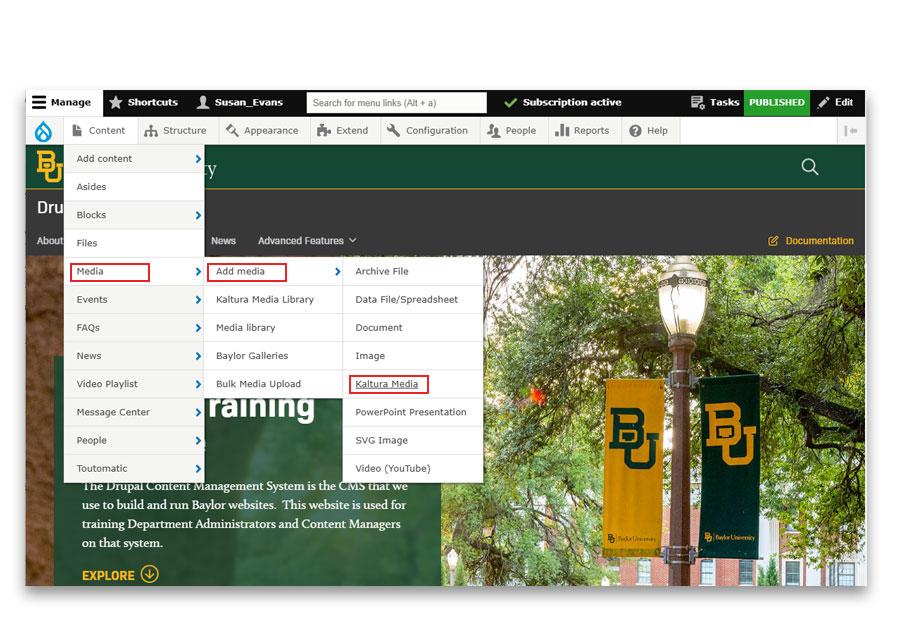
In the Drupal admin menu go to Content > Media > Add Media > Kaltura Media.
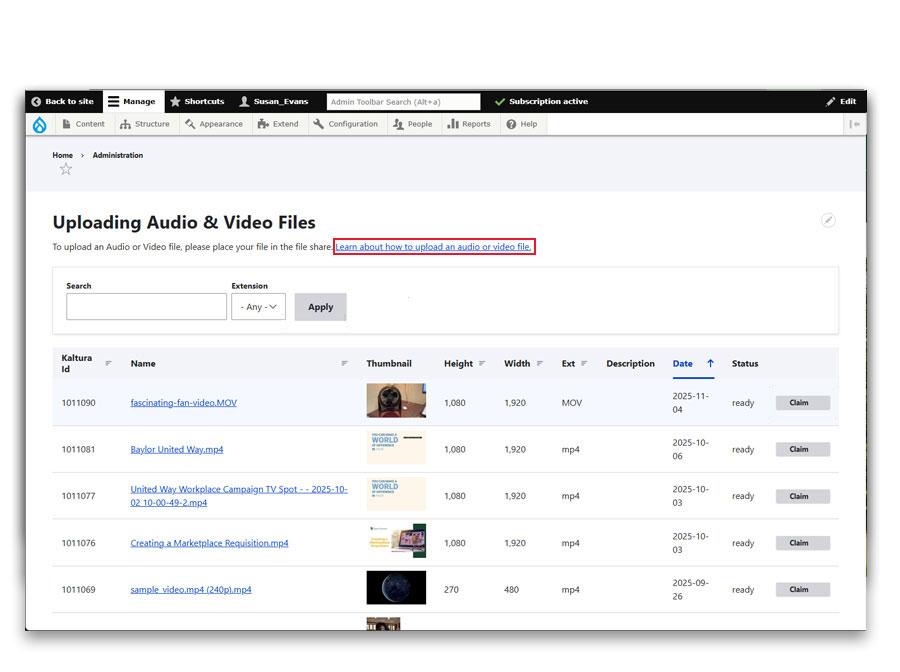
- Click on the link > Learn about how to upload an audio or video file.
- That link will take you to instructions on how to upload the audio or video file to the server.
- Check periodically on the Claim Media page for the status of the upload.
- Once the upload is complete the claim button will appear.