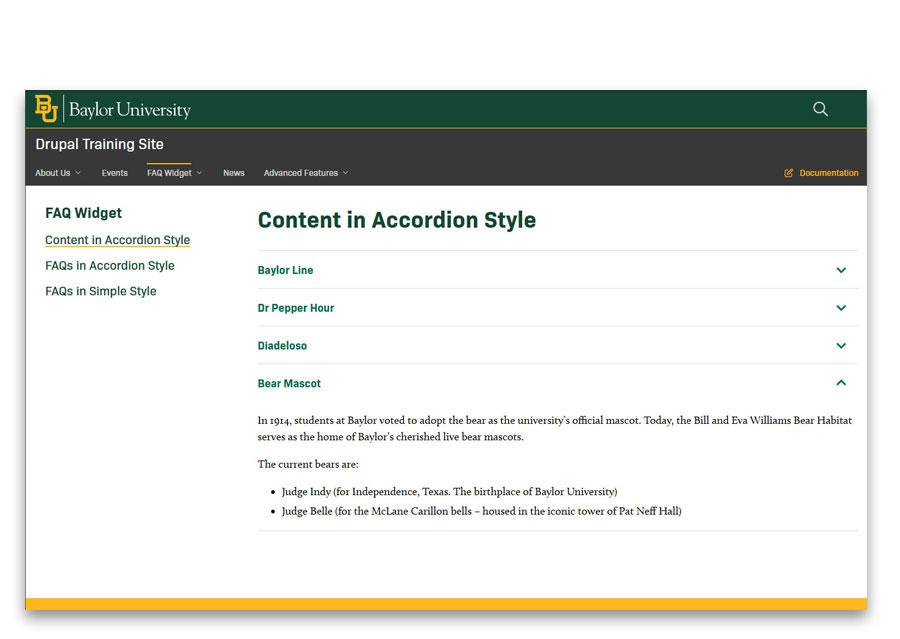
FAQ Collection Module
The FAQ module can be used to present either a collection of frequently asked questions or structured content formatted as headings paired with corresponding text, displayed in an accordion-style layout.
Add an FAQ Collection
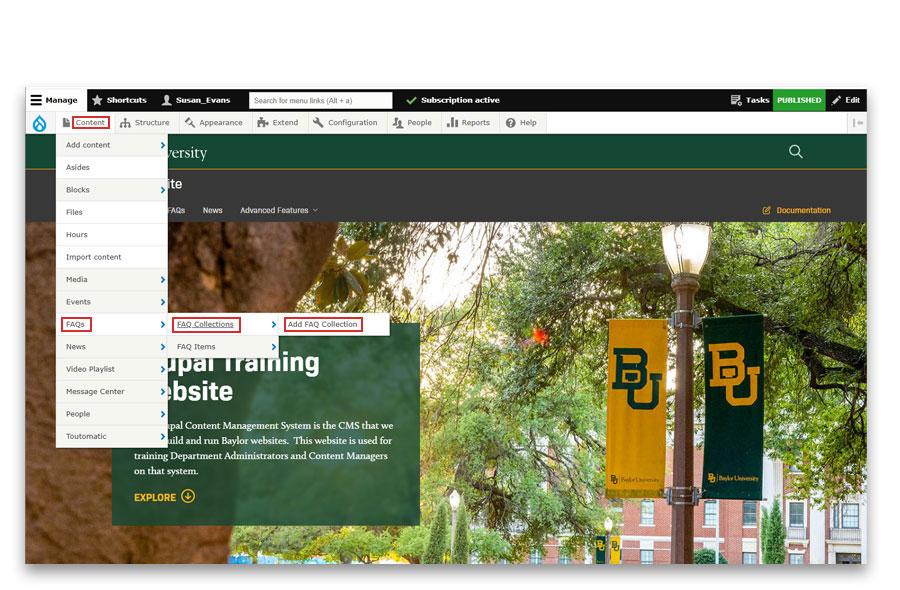
- Mouse over Content, mouse over FAQs, mouse over FAQ Collections
- Click on Add FAQ Collection
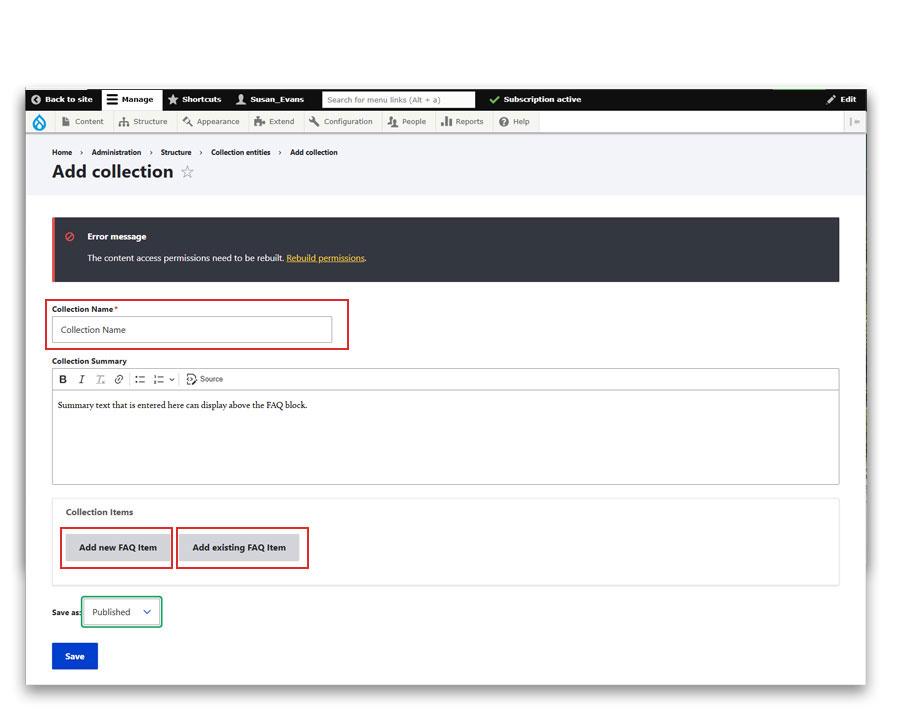
- Collection Name - Add a name for the collection. Displaying this collection name on the FAQ page is optional.
- The Collection Summary field is optional. If content is added it is possible to display it above the collection.
- You may Add a New FAQ item or Add an existing FAQ item.
- The collection must be published in order for it to display on a page.
- Save the collection.
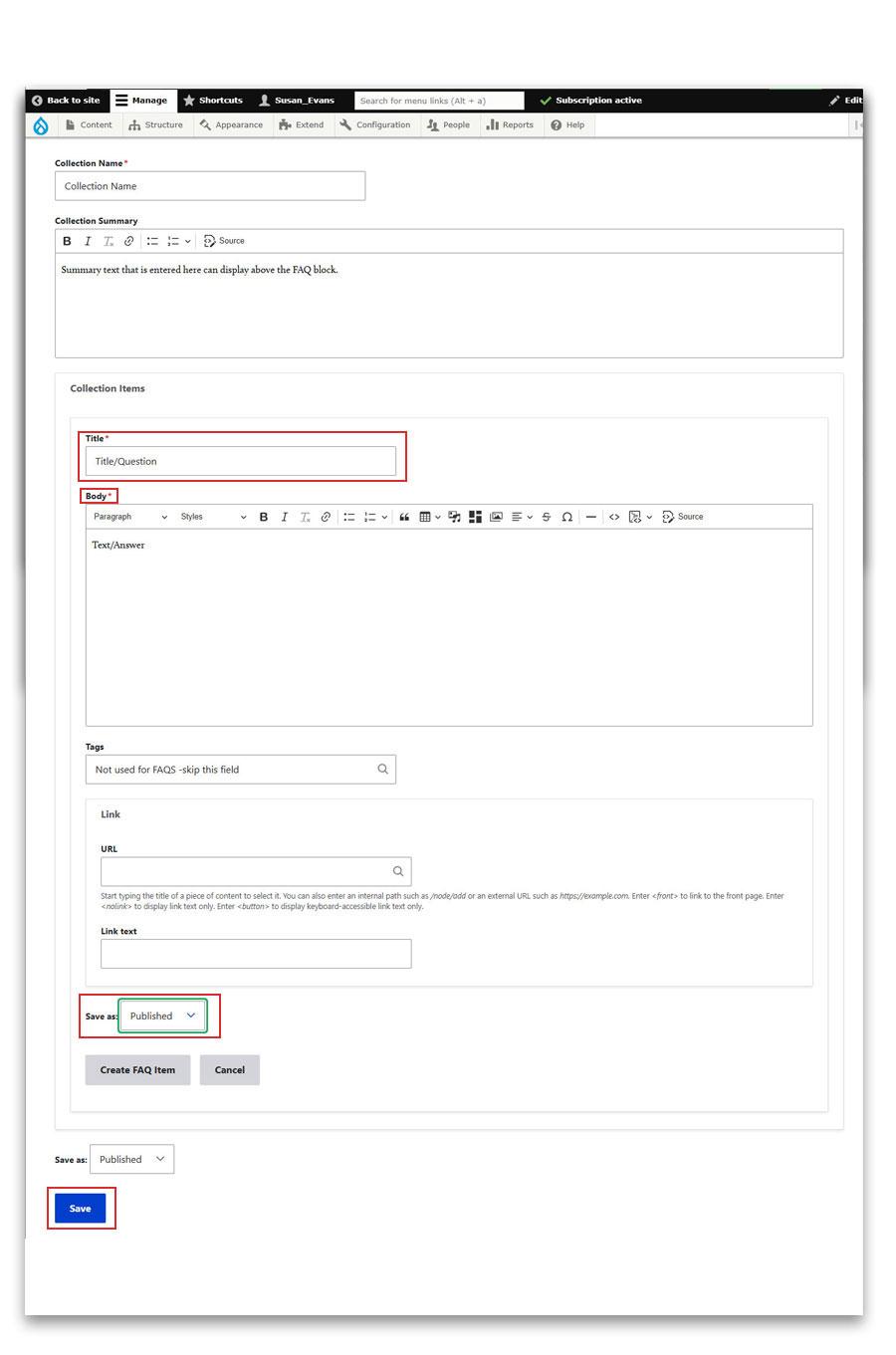
- Title. This will either be the question for an FAQ or the heading if using this FAQ module to display content.
- Body. This is either the answer to the question or the text if using this FAQ module to display content.
- Tags. Tags are not used at this time for the FAQ Widget.
- Link. Add a url and link text if a special link is desired to link to additional information.
- Save As: The item must be Published in order to display in the collection.
- Save the item when finished adding or editing.
FAQ Collection Display Types
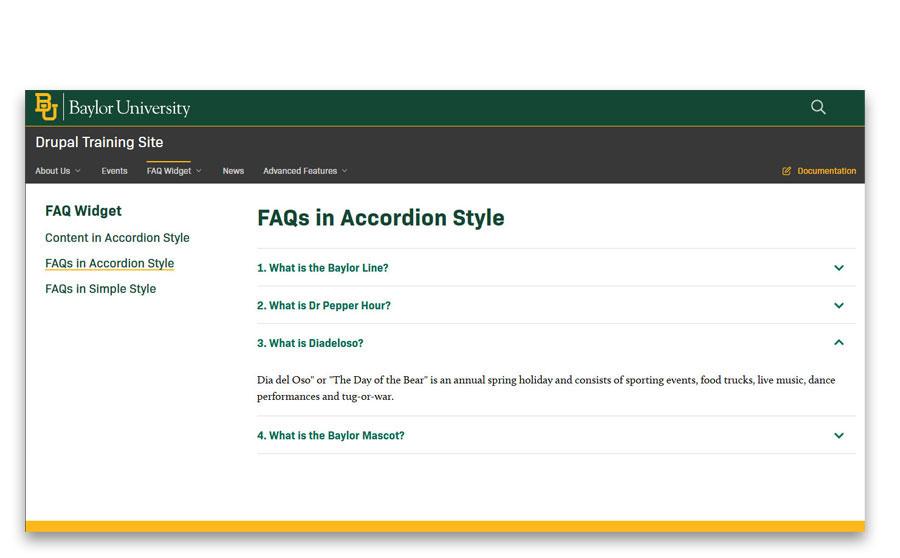
FAQ collection displayed in accordion style.
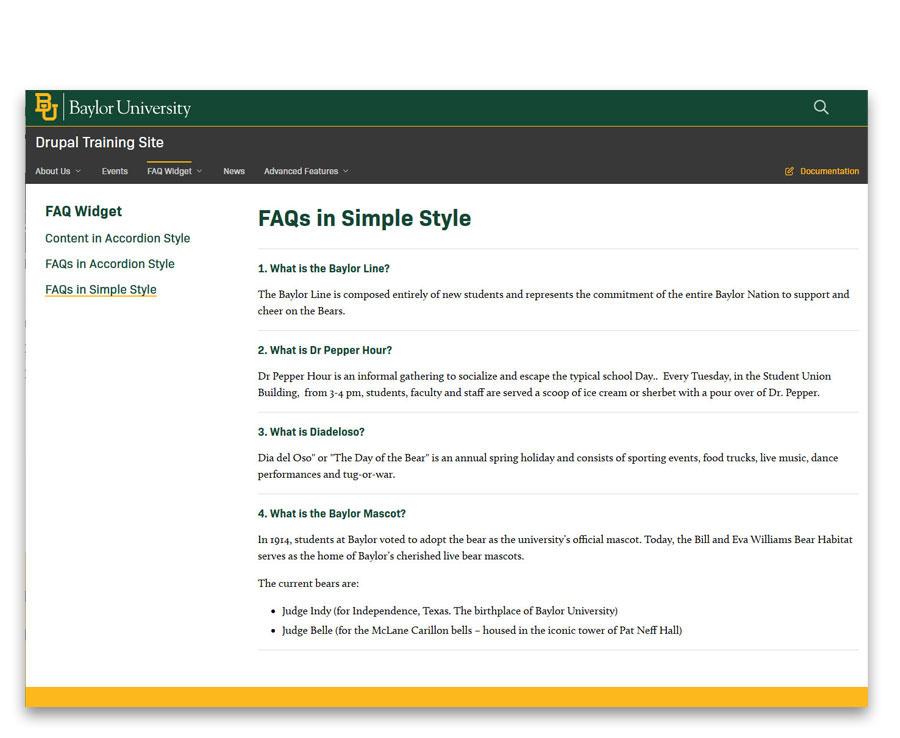
FAQ collection displayed in a simple style.
Page content displayed in an accordion style.