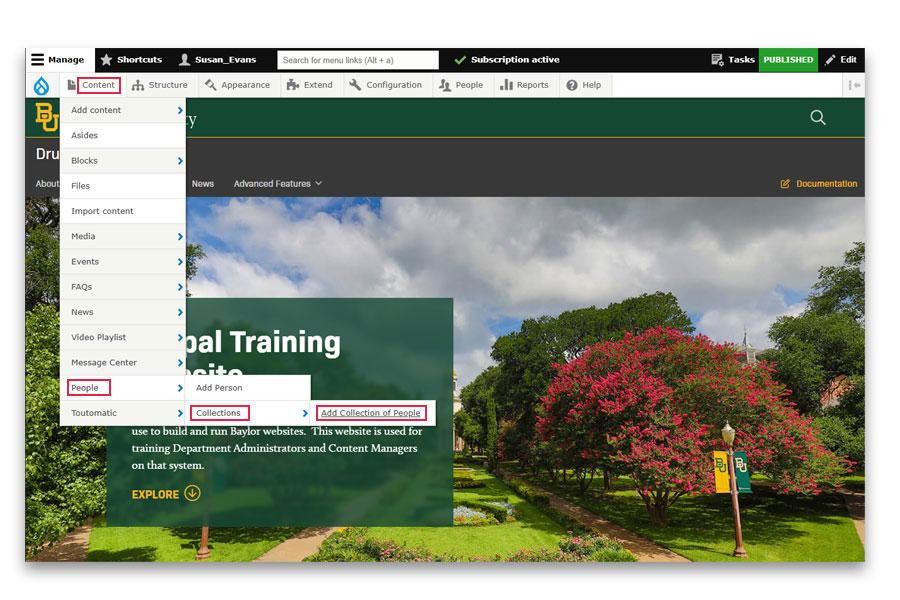
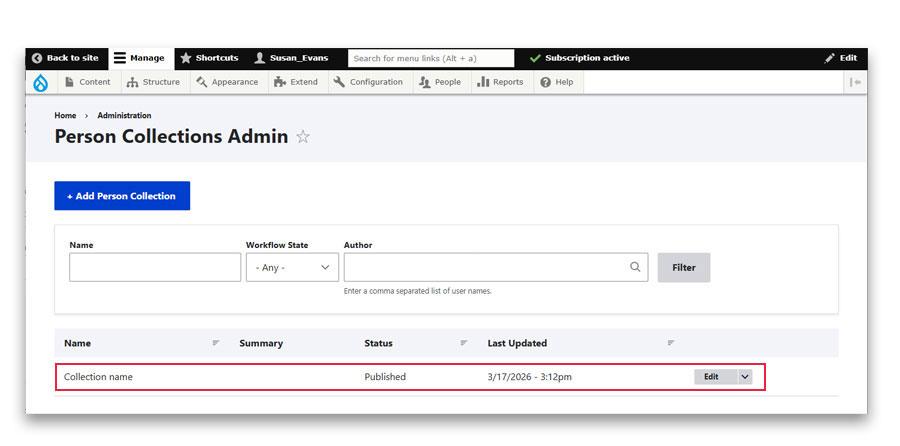
To add a collection of people, mouseover Content, mouseover People, mouseover Collections and click on Add Collection of People.
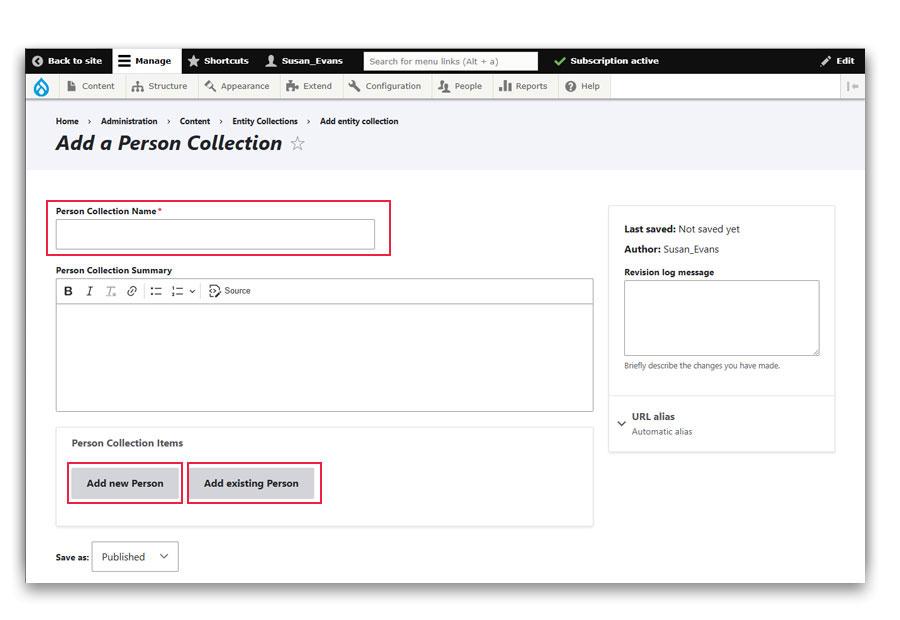
Add the name of the new collection
You have a choice of adding a person to the collection that has already been created in the People module or adding a person that has not yet been created in the People module.
If you add a person that has not yet been created in the People module, you will be presented with the same form as you would if you added a person in the Person module.
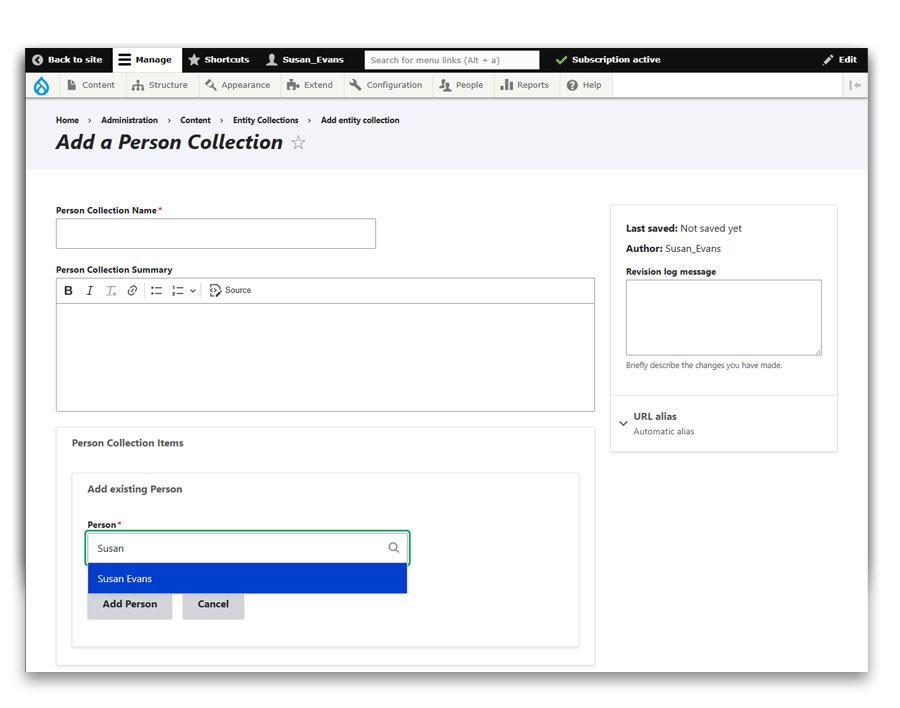
If you are adding a person to the collection that has already been created in the People module, begin typing their name in the Person field
Click on their name when it appears below the Person field.
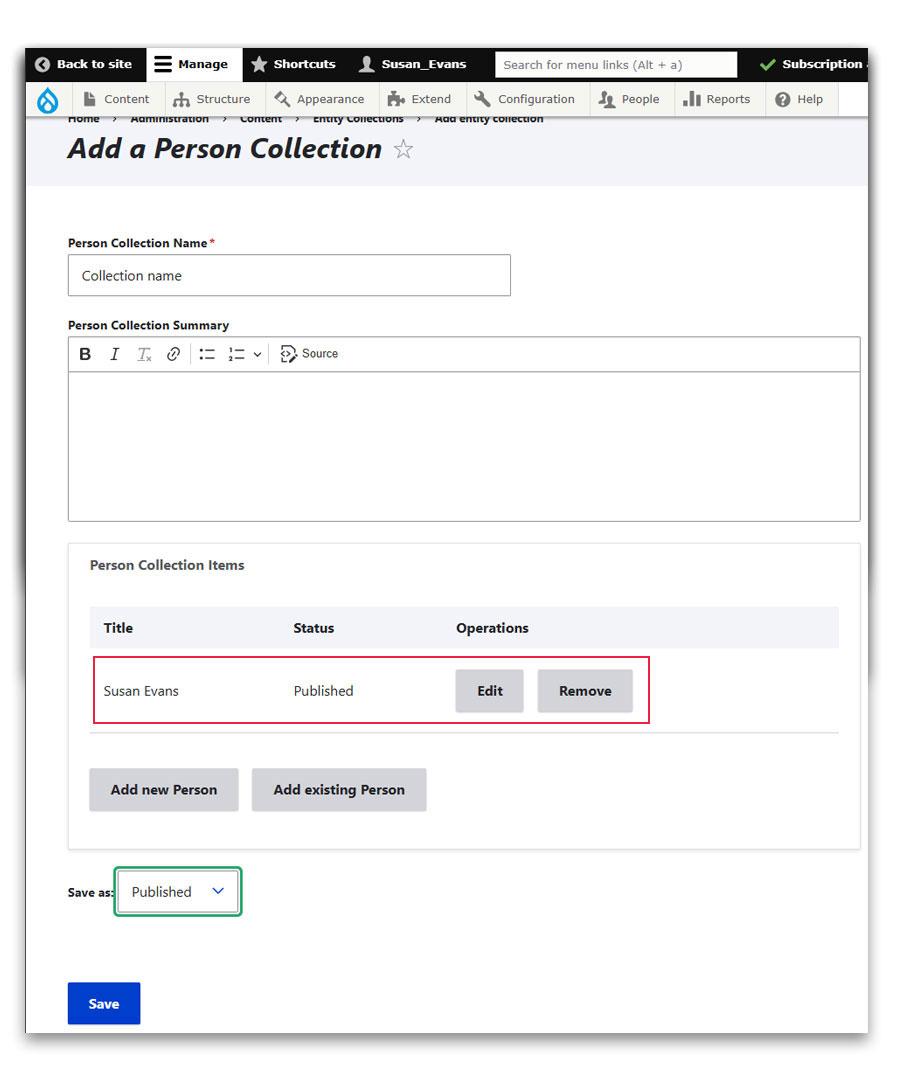
Once you add the person you will see them listed in the collection.
When you are through adding people to the collection, Save the collection as Published.
The collection you have created will appear in the Person Collection Admin area, where you are able to edit at anytime.
The collection must be added as a block to a page before it is available. Ask your web consultant for assistance with this step.