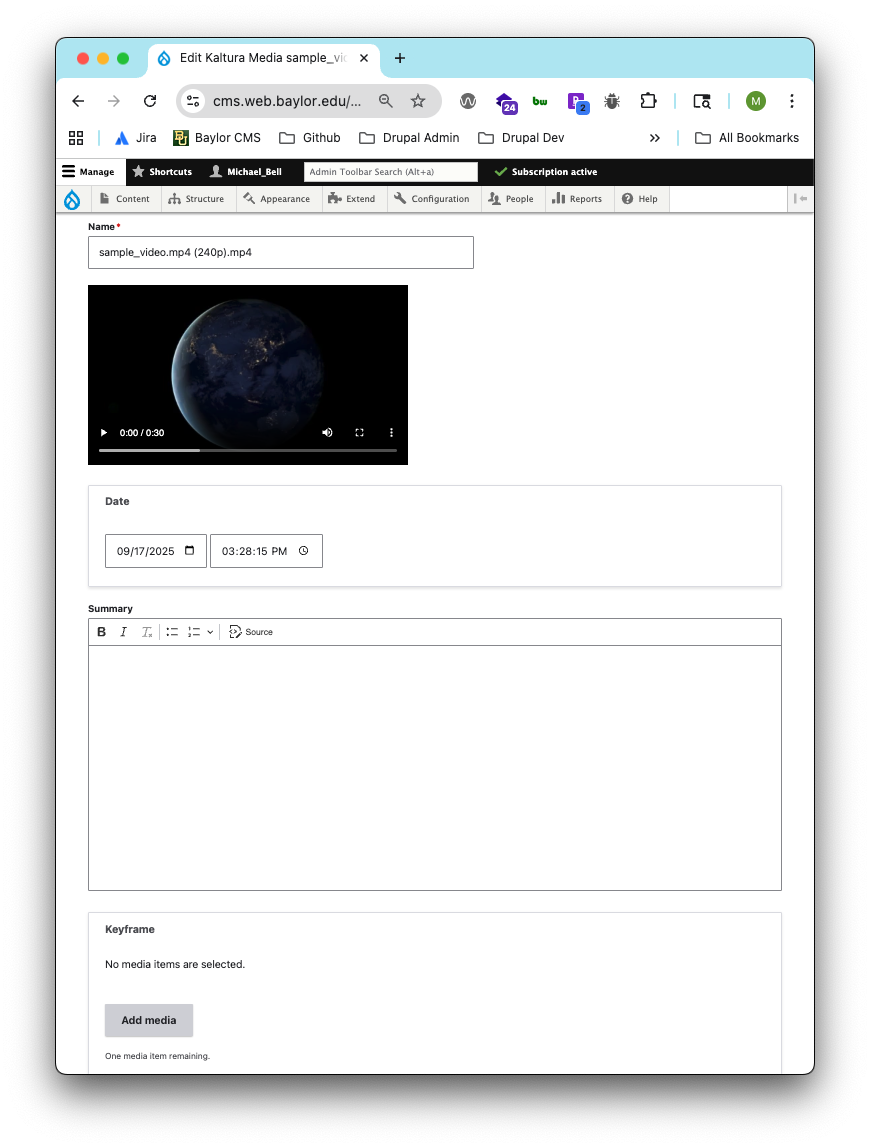
Editing your Media
In the Drupal admin menu, go to:
Content → Media → Audio & VideoLocate your media item and click Edit.
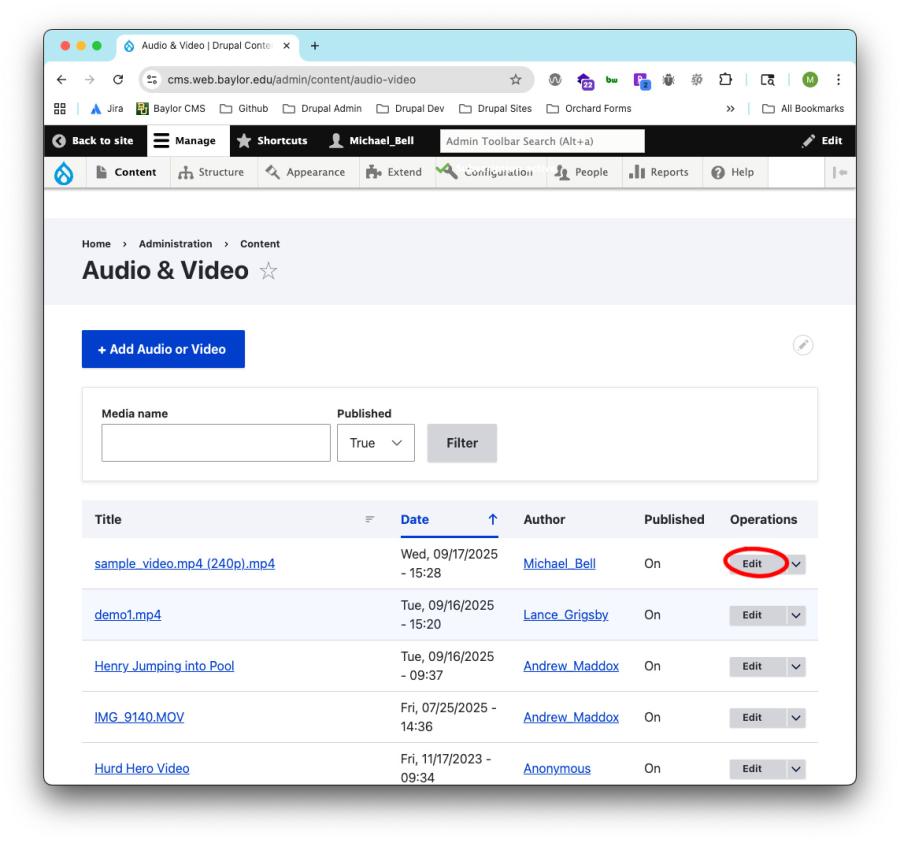
- In the edit screen, you can update the following details:
- Name – Give your media a clear, descriptive title.
- Summary – Add a short description that explains the purpose or content of the video.
- Keyframe – Choose a still image (thumbnail) that displays when the video is not set to auto-play.
Tags – Assign tags to help organize and categorize your media.
Editing your media helps improve accessibility, organization, and presentation across your site.