Embed & Format Media
- Open the page (or create a new one) where you want to add the audio/video.
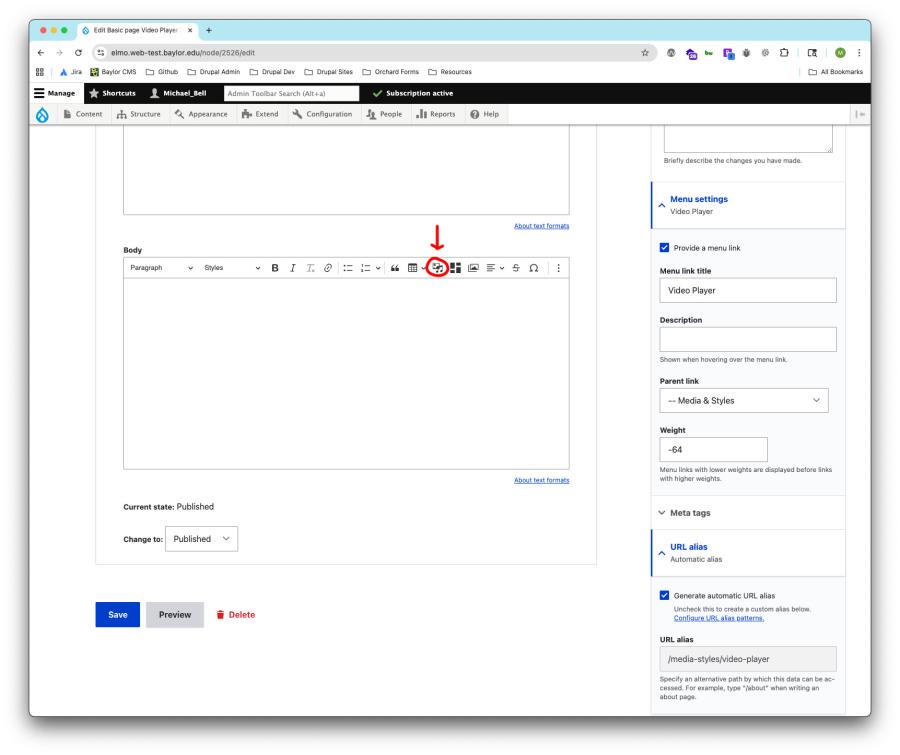
- In the Body field (or within a Basic Block in Layout Builder), click the Insert Media button above the text editor.
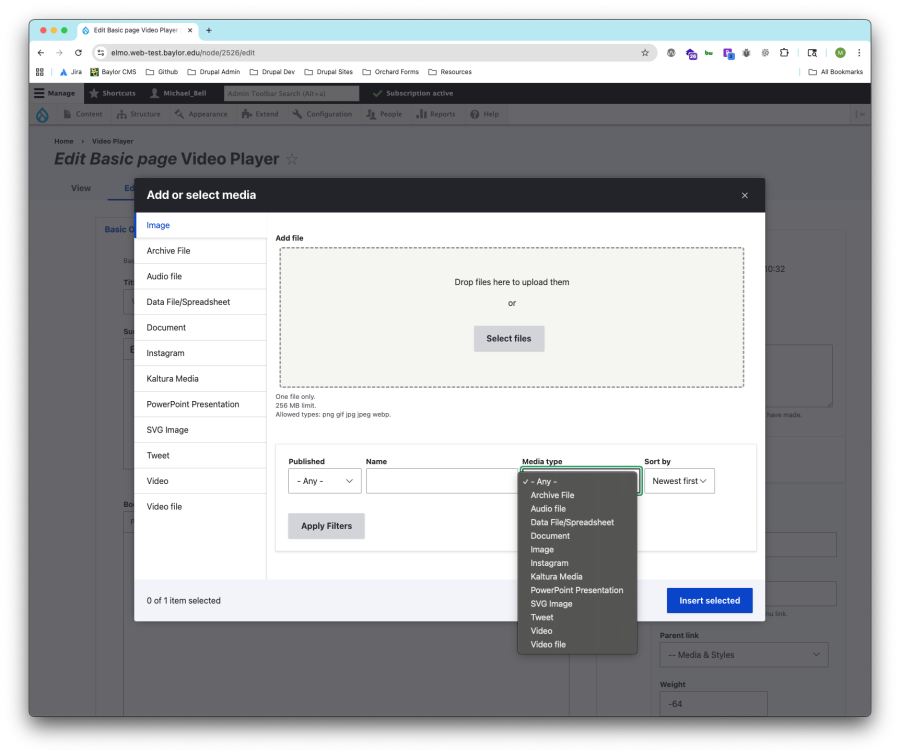
- In the media browser pop-up:
- Select Kaltura Media from the Media Type dropdown
- You can also fill in any of the Filter parameters to assist your search
- Click Apply Filters
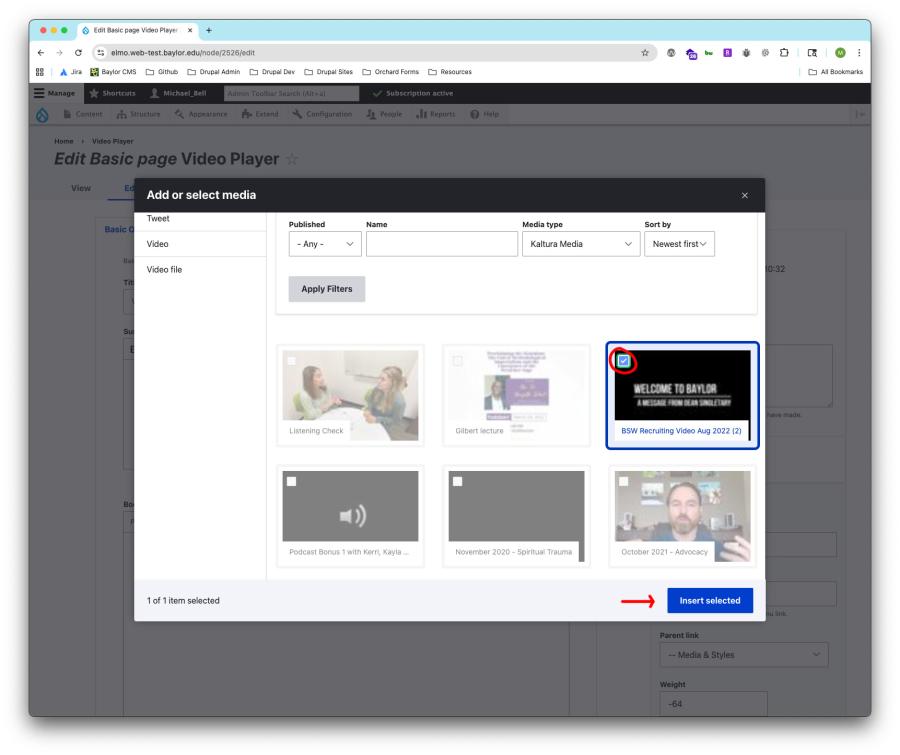
- Choose the audio or video you previously claimed.
- Click Insert Selected.
Adjust Display Options
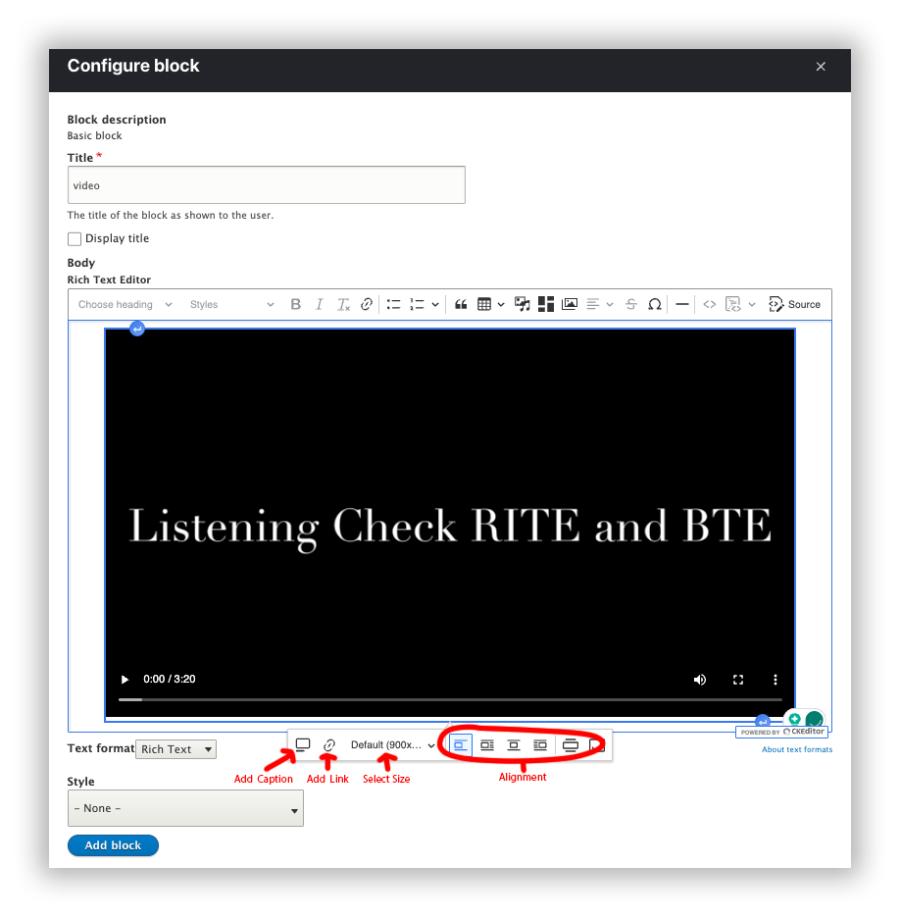
- Captions: Toggle captions on to make your content accessible.
- Alignment: Choose how the media appears on the page:
- Left (break between text) – video on left, text below.
- Left (wrap text) – video on left, text wraps around it.
- Center (break between text) – video centered, text below.
- Right (wrap text) – video on right, text wraps around it.