Claim Media
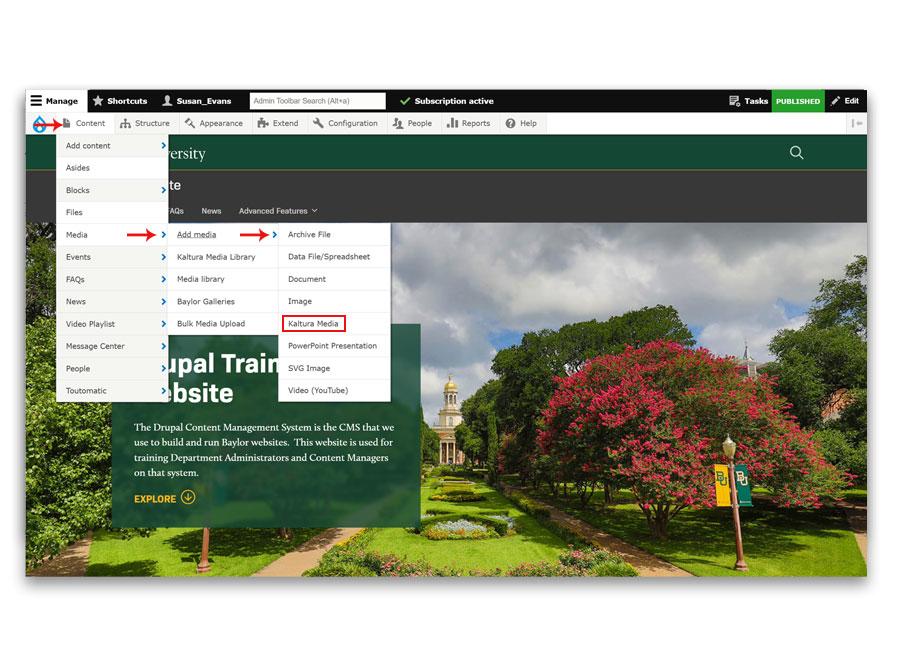
- In the Drupal admin menu, go to:
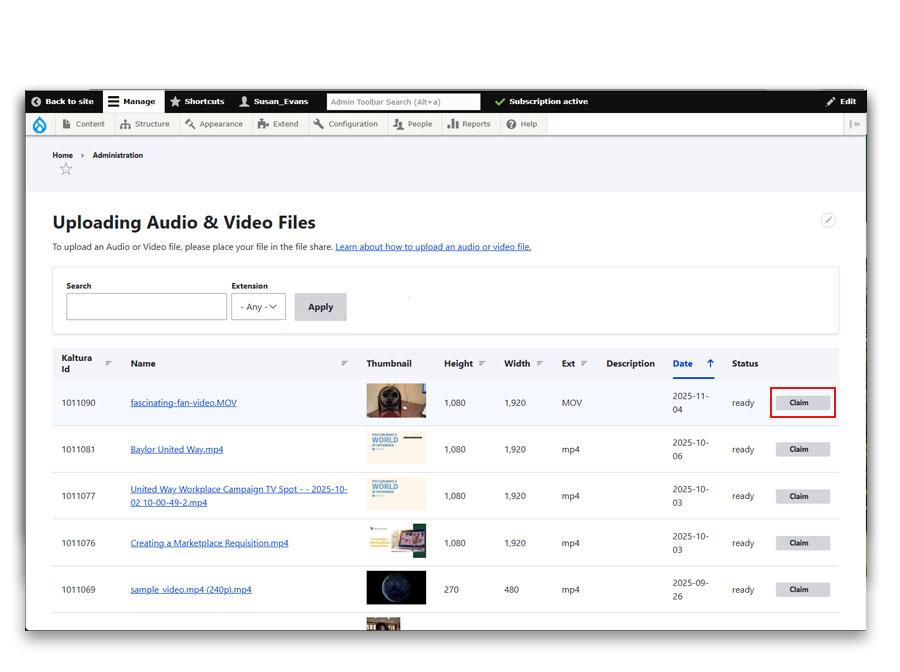
Content → Media → Add Media → Kaltura Media - Find the audio or video file you uploaded.
- Click the Claim button next to the item.
- A confirmation pop-up will appear. Click Confirm to finish claiming the media.
- Once claimed, the media will be available in the Media Library for embedding on your site.